
Manage More. Repeat Less.
Multi-account desktop automation for LDPlayer 9 on Windows. Run gathering, alliance, daily, building and rally routines for Rise of Kingdoms across your accounts from one application.
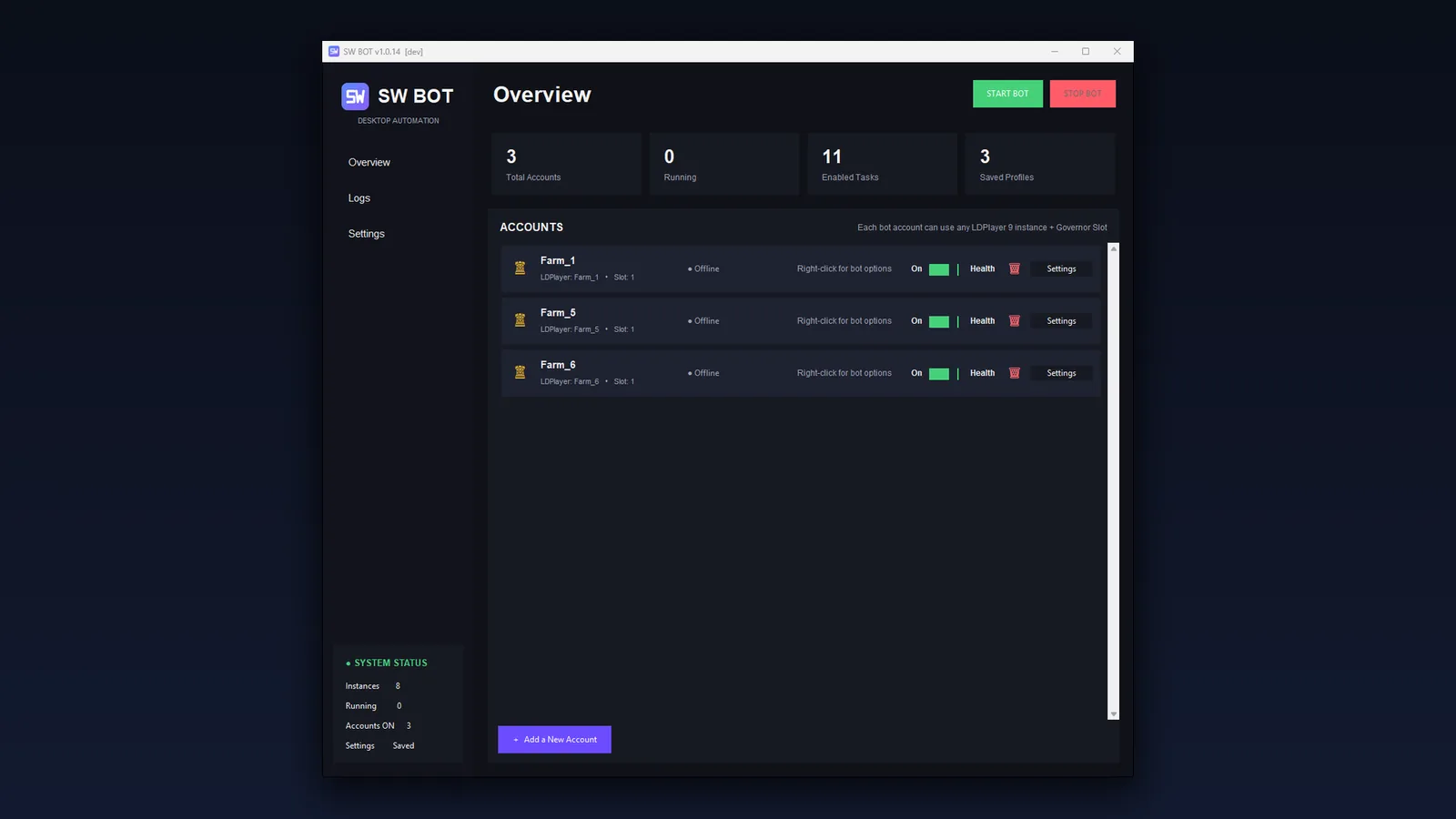
MULTI-ACCOUNT
Manage multiple game profiles and LDPlayer instances.
SMART AUTOMATION
Automate repetitive tasks and account routines.
AUTO RECOVERY
Recover from game/emulator interruptions automatically.
CONTINUOUS UPDATES
Receive improvements and fixes through the built-in updater.
Everything your accounts need, one task at a time
Pick a category to see what SW BOT does there and how it looks.
Accounts
Every profile is its own worker with its own settings, timers and progress.
- Multi-Account ProfilesBind each bot profile to an LDPlayer 9 instance and Governor slot.
- Multiple LDPlayer WorkersProfiles on different emulators run at the same time; profiles that share one are queued safely.
- Separate settingsTasks, rules, intervals and runtime state never mix between profiles.
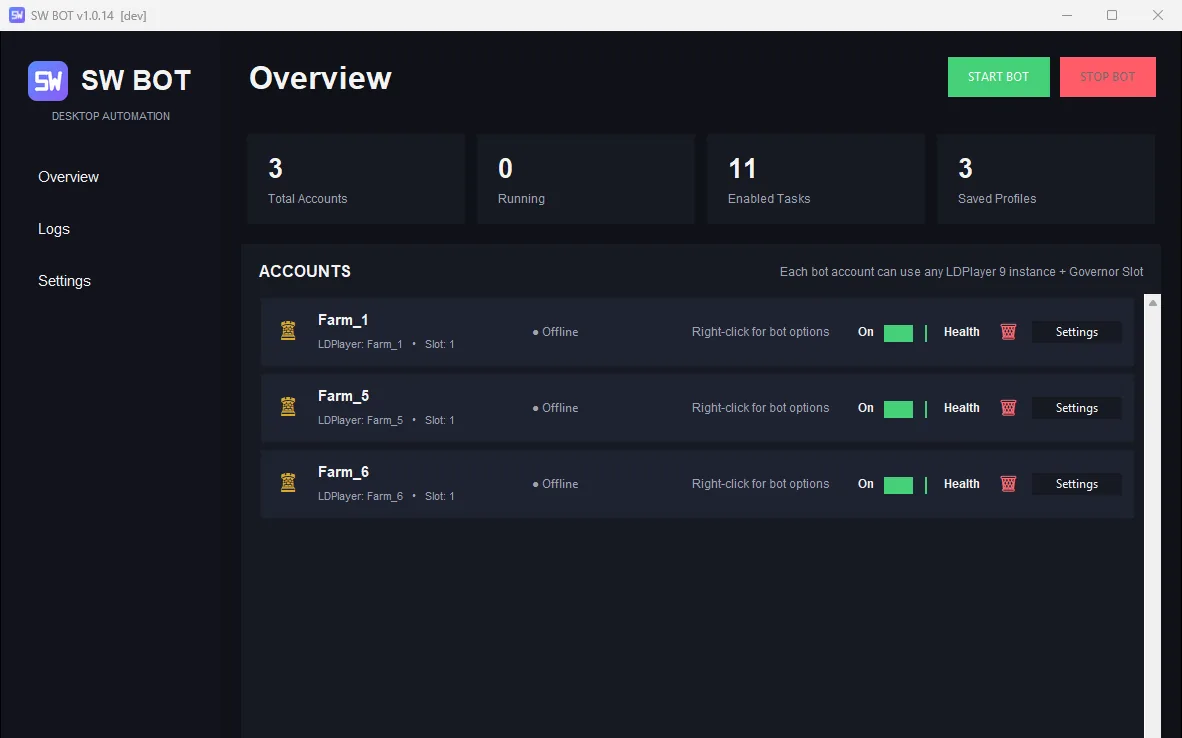
Gathering
Keep the resource marches flowing without watching the screen.
- Gather ResourcesSends marches by resource type and node level and resumes after any restart.
- Alliance GatherAlliance resource centre gathering with maximum troop dispatch.
- Queue awarenessRecognises full march queues and troops that are away instead of retrying blindly.
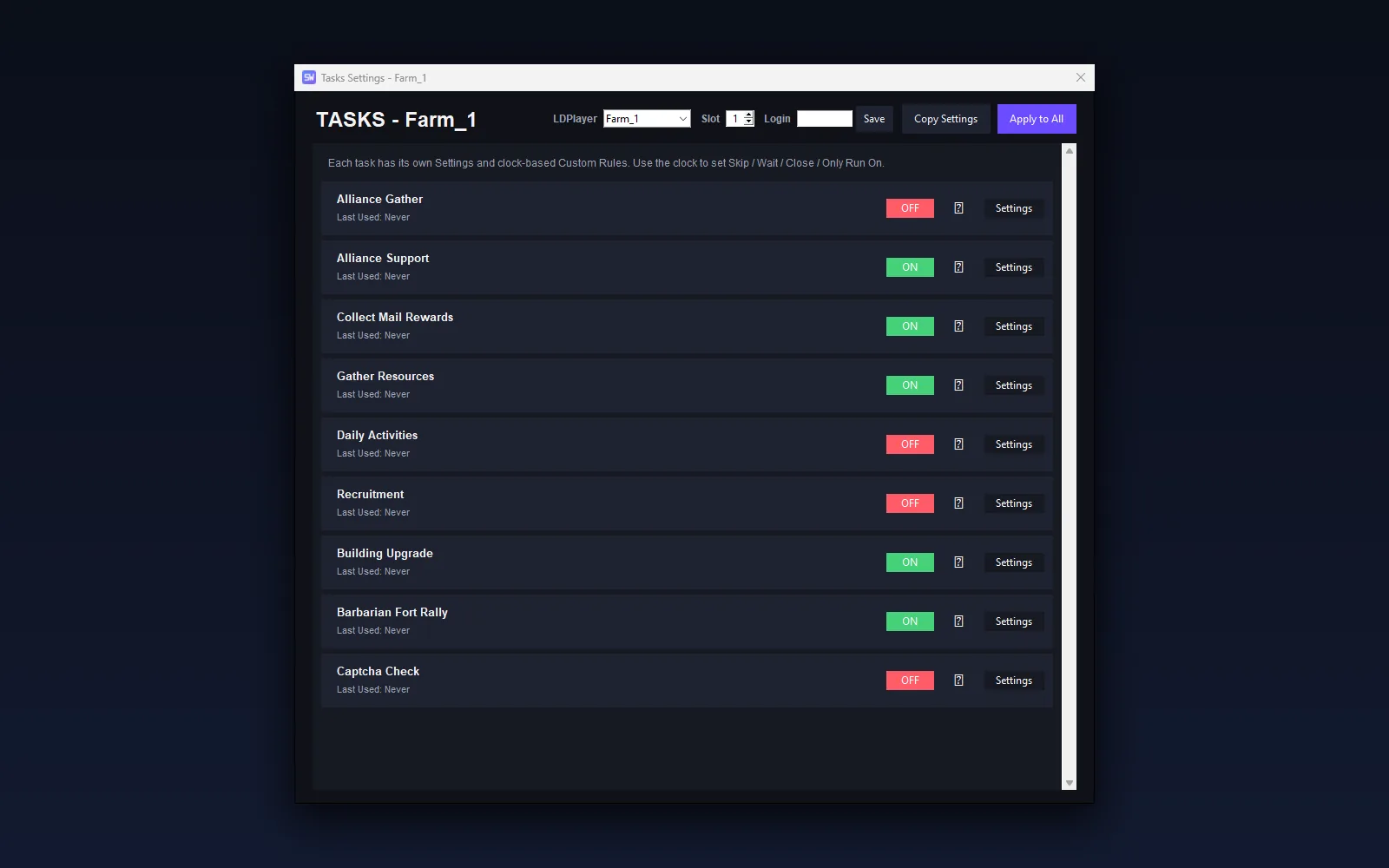
Daily Tasks
The routine work that eats your evening, handled on a schedule.
- Alliance SupportDonations, gifts, help-all and territory support in one pass.
- Mail RewardsClaims system, alliance and report mail on the interval you choose.
- Daily ActivitiesVIP chests, tavern chests and daily quests.
- RecruitmentBarracks, archery range, stable and siege training by tier.
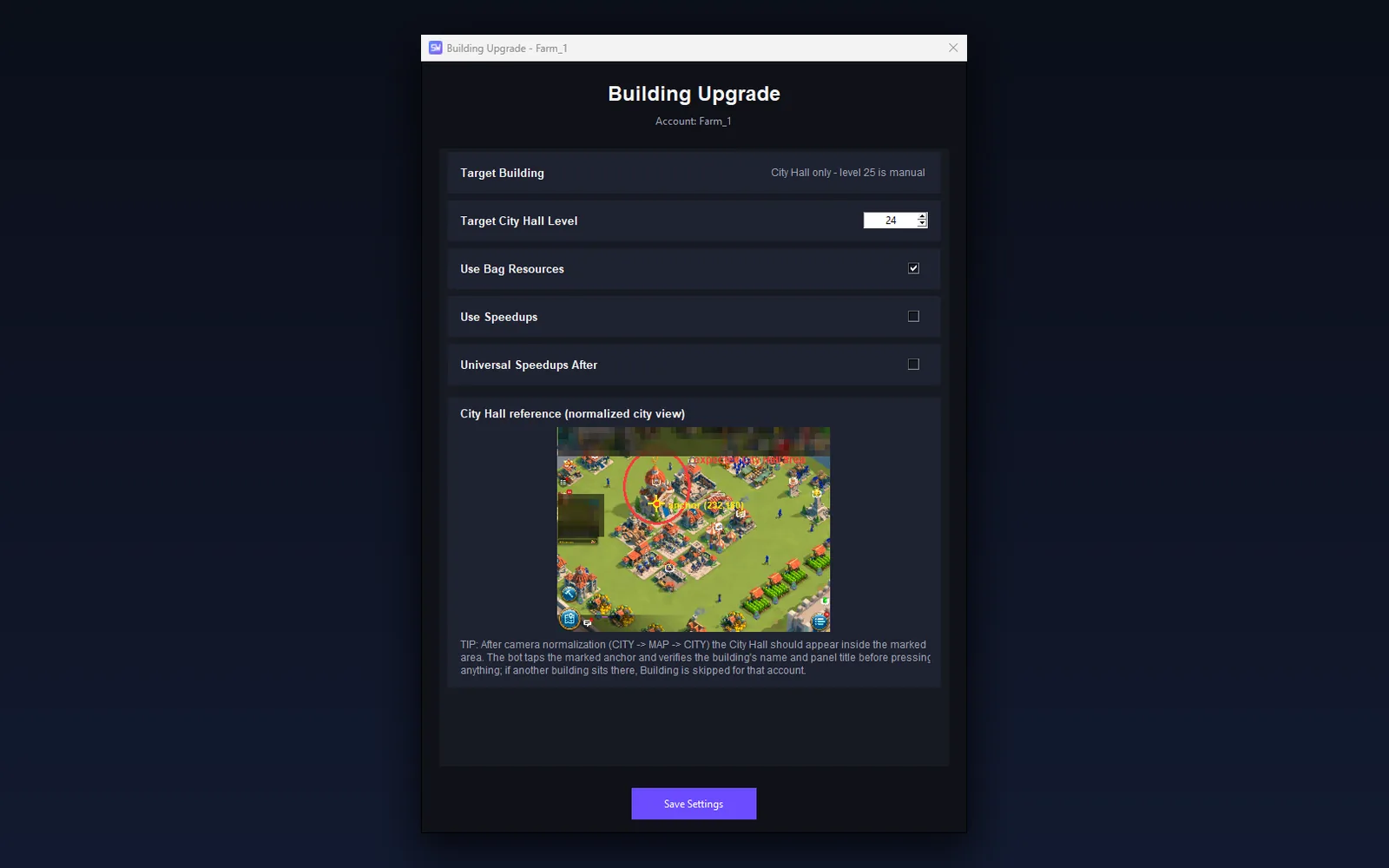
Building
City Hall progress with verification before every tap.
- Building UpgradeLocates and verifies the City Hall, reads the level and follows your target.
- Building SpeedupsUses building and universal speedups sized to the remaining time, only when you allow it.
- Resource replenishQuick-replenish from the bag when a build needs it.
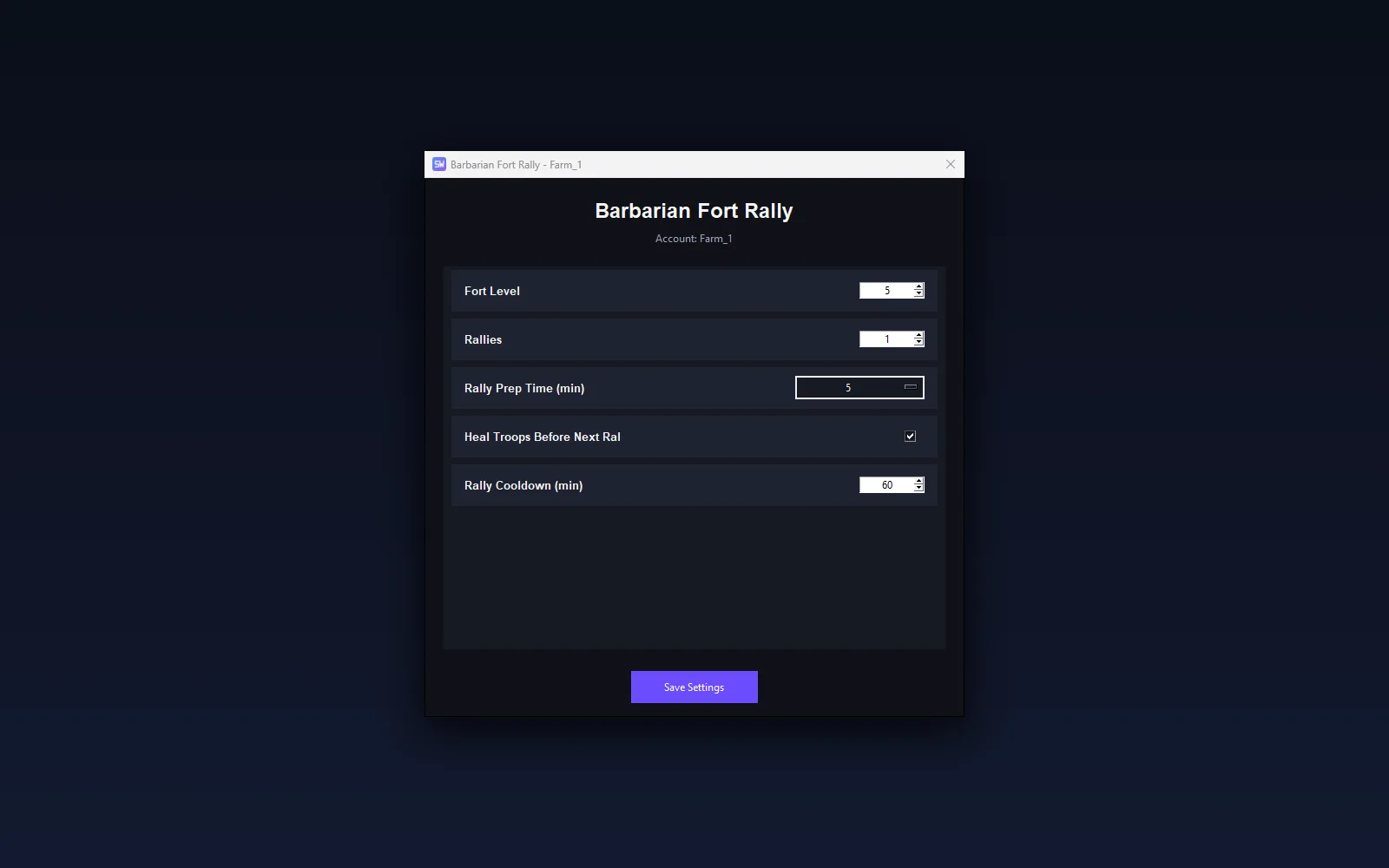
Fort Rally
Barbarian Fort rallies with your preset, recall and healing.
- Barbarian Fort RallyFinds forts by level, opens the rally with your troop preset and marches.
- HealingOpens the hospital and heals wounded troops after every rally.
- Cooldown SchedulingConfigurable cooldown between rally rounds; the account rests in between.
Recovery
Designed for accounts that run for days, not minutes.
- Automatic RecoveryDetects a frozen or crashed emulator and brings the game back.
- Game restart handlingNetwork popups, title screens and cinematics are recognised and handled.
- Resume behaviourAn interrupted cycle continues from its saved progress.
Scheduling
Intervals, day/time windows and an idle mode that knows when to sleep.
- Idle SchedulerWhen nothing is due the account goes idle until its next task instead of cycling.
- Interval rulesPer-task intervals and custom Skip / Only-Run-On rules that survive restarts.
- Persistent schedulesTimers are stored per profile and kept through updates.
Updates
New versions arrive through the launcher, verified before installation.
- Automatic UpdatesThe launcher checks for a new release on every start and installs it.
- Settings preservedYour accounts, rules and license are never touched by an update.
- Actively developedImprovements ship regularly; see the changelog and roadmap.
Manage More Accounts From One Place
Each bot profile can be linked to an LDPlayer 9 instance and Governor slot. Multiple workers operate independently, and every account keeps its own settings, rules and timers. The practical number of simultaneous emulators depends on your PC hardware.
- One profile per LDPlayer instance and Governor slotProfiles never share settings or timers.
- Independent workersDifferent emulators run in parallel; profiles on the same emulator are queued.
- Hardware sets the limitEach extra emulator needs more RAM and CPU - start small and scale up.
Built To Keep Running
SW BOT is designed for long-running account management: it recovers from interruptions, remembers where every account stopped and updates itself without losing your settings.
Automatic emulator recovery
A frozen or closed LDPlayer instance is restarted and the game is brought back.
Game restart handling
Crashes, network popups, title screens and cinematics are recognised and handled.
Per-account task state
Every profile keeps its own progress, so one account never disturbs another.
Persistent schedules
Intervals and completion times are stored and survive bot and Windows restarts.
Smart idle mode
Nothing due? The account sleeps until its next task; no empty cycles, near-zero CPU.
Resume behaviour
An interrupted cycle resumes where it stopped instead of starting over.
Unicode / Arabic Windows paths
Install the bot in any folder name, in any language.
Auto updater
Verified releases are installed by the launcher with your settings untouched.
Simple pricing, every feature included
One license, every feature. Pick the duration that suits you. Prices include all updates released during your subscription.
1 Month
Good for trying SW BOT.
- All features included
- All updates during the subscription
- 1 PC activation
- Email support
6 Months
Save compared with monthly.
- All features included
- All updates during the subscription
- 1 PC activation
- Email support
1 Year
Best for long-term users. Recommended for long-term users.
- All features included
- All updates during the subscription
- 1 PC activation
- Email support
Purchasing is not available yet. SW BOT is currently in final testing.
Three steps from checkout to running bot
Choose Your Plan
Select monthly, 6-month or annual access.
Pay Securely
Complete checkout through the payment provider. We never see your card details.
Download & Activate
Receive your license immediately, download SW BOT and activate it with one click.
What you receive
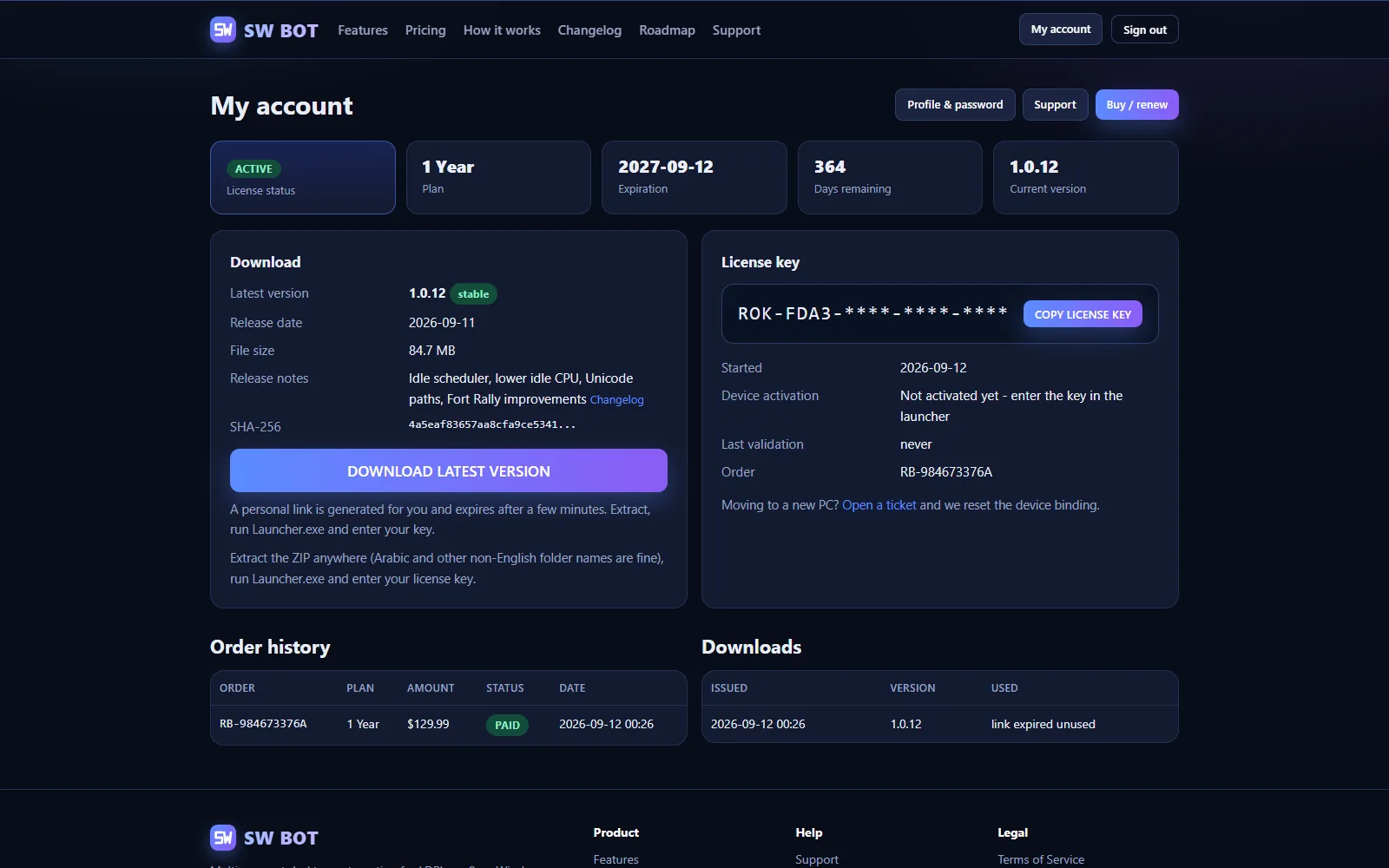
- Instant License KeyShown on the success page and emailed to you.
- Download AccessThe current release, always available from your dashboard.
- Customer DashboardLicense, orders, downloads and support in one place.
- Automatic UpdatesNew versions install through the launcher.
- License Status / ExpirationSee exactly when your access renews or ends.
- Device ActivationOne PC per license by default; support can move it.
System requirements
Required
- Windows 10 or Windows 11 (64-bit)
- LDPlayer 9 with Rise of Kingdoms installed
- LDPlayer instances set to 640 x 480 resolution (the bot's Health Check verifies this)
- Internet access for license checks (72-hour offline grace)
Recommended
- Modern multi-core CPU
- Adequate RAM for the number of emulator instances you run
- SSD storage for LDPlayer
- A stable network connection
Running multiple LDPlayer instances requires more RAM and CPU. The practical number of simultaneous emulators depends on your PC hardware; start with one or two and add more while watching memory usage.
Straightforward and secure
Payments handled by the provider
Your card details go to the payment provider's secure checkout; we never see or store them.
No game password needed
SW BOT works with the game already signed in inside LDPlayer and never asks for your game credentials.
Your data, in your portal
License, orders and downloads are managed through your customer dashboard.
Verified updates
Every release is checked before the launcher installs it.
Questions, answered
Do I need Python or any developer tools?
No. You receive the compiled Windows application. Extract the ZIP, run Launcher.exe and enter your license key.
Does SW BOT support LDPlayer 9?
Yes. SW BOT is built and tested for LDPlayer 9 at 640x480.
How many accounts can I use?
It depends on the profiles you configure and on your PC hardware. Each profile is bound to an LDPlayer instance and Governor slot; every extra emulator needs more RAM and CPU.
Are updates automatic?
Yes. Supported releases are delivered through the launcher, which checks for a new version on every start.
Will updates delete my settings?
No. Your settings live in a separate folder that updates never touch: accounts, rules, timers and your license are preserved.
What happens if I change my PC?
The license device binding can be reset through support (or by the admin), after which you activate on the new PC.
Ready to manage more and repeat less?
Purchasing is not available yet. SW BOT is currently in final testing.
View Plans